In this module, we can send daily SMS to patients.
Q: How to send daily SMS to patients ?
First we need create SMS template before sending an daily SMS to patients.
To send an daily SMS to patient, first go to the messaging module and then click on the daily SMS.
On this page, first of all, we need to select the type, from date, to date, and doctor.
Then click on the "Get Patients" button.
Then the page will appear like this.
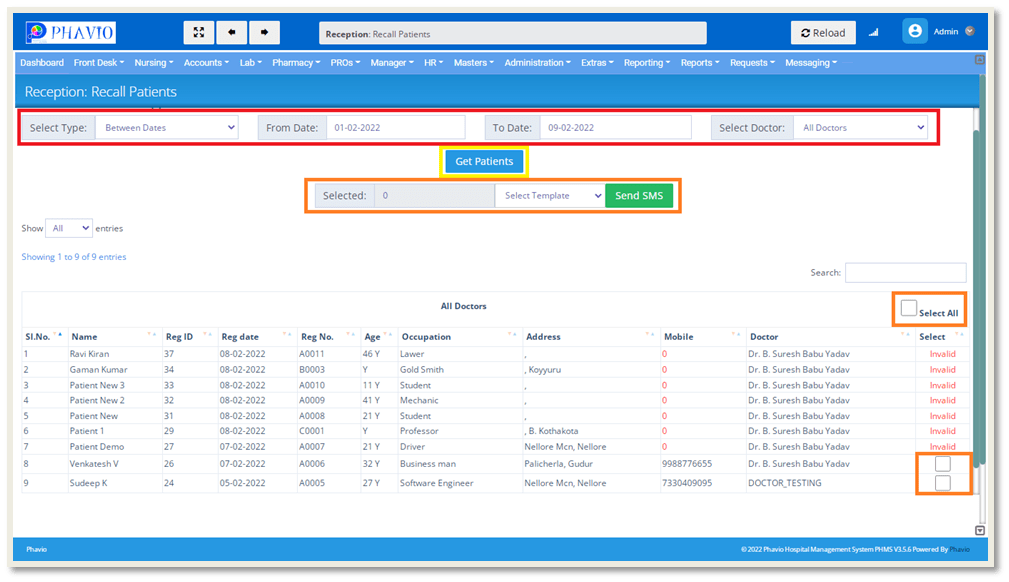
We will display all the patients lists in that date range.
Then, afterward, we will select the checkboxes to whom the SMS will been send.
After selecting the check boxes, we will select the template and then click on the Send SMS button as shown in the above image.
Then the SMS`s are sent to the patients.